
Can you cut LED strip lights anywhere
- Home /
- Learning Center /
- Can you cut LED strip lights anywhere
LED Tape Lights
MaxCut COB Series
UniBasic COB Series

UniPlus COB Series
UniTape Distributors Display
Glow67 IP67 Series
UniColor COB Series


CCTPlus Tunable White
Can You Cut LED Strip Lights Anywhere? Understanding Safe Cutting Practices
LED strip lights have become incredibly popular for their versatility and ease of installation, but one question consistently arises among DIY enthusiasts and professional installers alike: can you cut LED strip lights anywhere? The short answer is no—you cannot cut LED strip lights just anywhere. Understanding where and how to cut LED strips properly is essential for successful installations and avoiding costly mistakes that can render your lighting unusable.
The Truth About Cutting LED Strip Lights
LED strip lights are designed with specific cutting points that allow you to customize their length for various applications. However, cutting outside these designated areas will damage the circuit and create non-functional segments. This limitation exists because of how LED strips are electrically configured.
Each LED strip consists of small LED chips arranged in series-parallel circuits along a flexible circuit board. These circuits are organized into repeating segments, with each segment functioning as an independent electrical unit. The designated cutting points fall precisely between these segments, where cutting won’t interrupt the electrical pathways needed for the LEDs to illuminate.
Attempting to cut between designated points severs the electrical connections within a segment, creating dead LEDs that will never light up. This mistake is permanent—you cannot repair LEDs damaged by improper cutting
Identifying Designated Cutting Points
The key to successfully cutting LED strip lights is recognizing the proper cutting locations. Manufacturers mark these points clearly, but knowing what to look for ensures you don’t miss them.
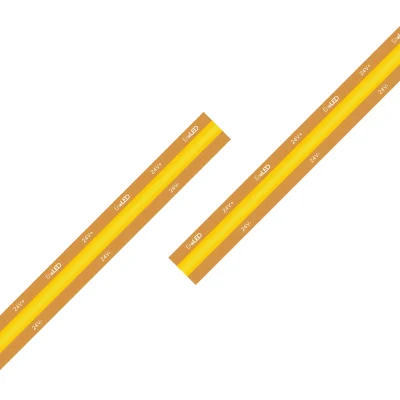
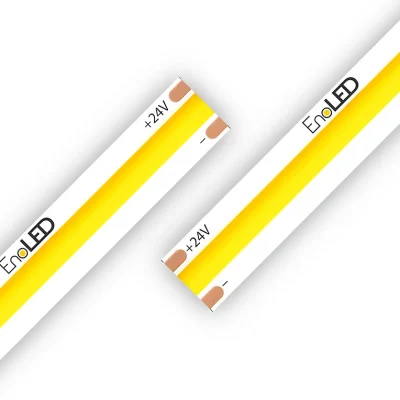
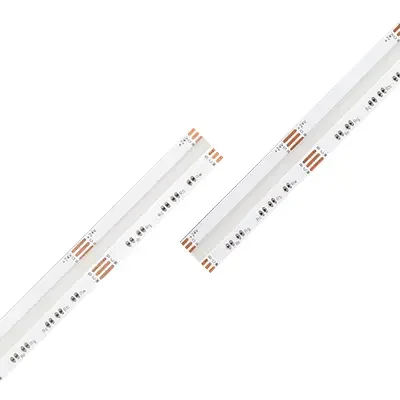
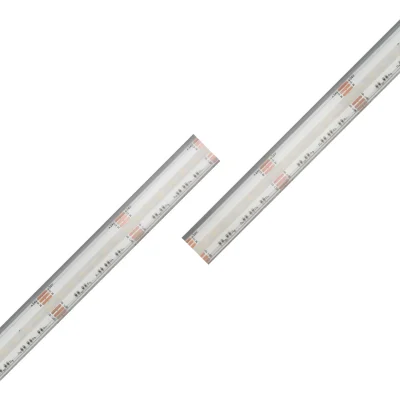
Visual Markers: Most LED strips feature small scissor icons printed directly on the strip at each cutting point. These icons provide unmistakable visual guidance showing exactly where you can safely cut. Additionally, you’ll see copper pads or contact points at these locations. These copper pads serve dual purposes—they mark cutting points and provide connection terminals if you need to reconnect segments later.
Spacing Between Cutting Points: The distance between cutting points varies depending on the LED strip’s voltage and configuration. Standard 12V LED strips typically allow cutting every 3 LEDs, which translates to approximately 2 inches (5 centimeters). Higher voltage 24V strips usually have cutting points every 6 LEDs, or roughly 4 inches (10 centimeters). Some specialized strips may have different intervals, so always check your specific product’s specifications
Why Cutting Points Are Spaced This Way
The spacing between cutting points isn’t arbitrary—it’s determined by the electrical design of the LED strip.
LED strips operate by grouping individual LEDs into circuits. For 12V strips, LEDs are typically grouped in sets of three because each LED has a forward voltage drop of approximately 3-3.5V. Three LEDs in series total about 9-10.5V, which operates safely on a 12V power supply with some overhead. For 24V strips, six LEDs create a similar voltage relationship.
These LED groups form the minimum functional unit of the strip. Cutting within a group breaks the series circuit for that group, preventing those LEDs from functioning. This is why cutting points only appear between complete LED groups—these locations preserve the integrity of each electrical unit
How to Cut LED Strip Lights Properly
Preparation: Before cutting, measure your installation area carefully and identify the nearest cutting point to your desired length. Remember that you can only cut at designated points, so you may need to adjust your measurement slightly. Always disconnect the LED strip from power before cutting to prevent electrical shock and protect both yourself and the strip.
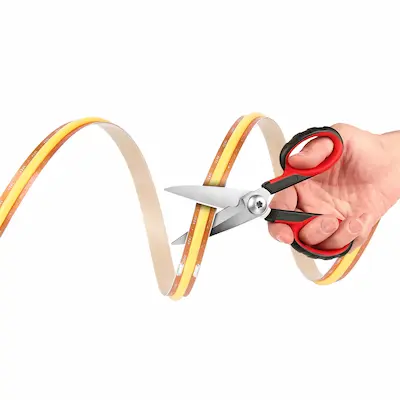
Cutting Technique: Use sharp scissors or precision wire cutters for clean cuts. Position your cutting tool perpendicular to the strip, centered directly on the copper pads at the designated cutting line. Make one decisive, straight cut through the entire width of the strip. Avoid multiple cuts or sawing motions, as these can damage the copper contact pads you’ll need if reconnecting segments.
Post-Cut Inspection: After cutting, examine the copper pads on both cut ends to ensure they remain intact and undamaged. Clean cuts leave smooth, accessible copper pads perfect for soldering or connecting
What Happens If You Cut in the Wrong Place
When you cut through the middle of an LED segment rather than between segments, you sever the electrical pathway that powers those LEDs. The segment containing the cut point becomes permanently non-functional. If you cut a 12V strip between designated points, you’ll lose at least three LEDs—those in the damaged segment. On 24V strips, you’ll lose six LEDs.
The damaged section cannot be repaired or reconnected in any useful way. Your only option is cutting again at the next proper cutting point, wasting the damaged portion entirely
Reconnecting Cut LED Strips
Soldering Method: Soldering provides the most reliable connection between cut LED strip segments. This method involves attaching wires to the copper pads on each segment and connecting corresponding wires together. Use a fine-tip soldering iron, quality solder, and insulated wire appropriate for the current load. Soldered connections are permanent, waterproof when properly sealed, and highly reliable.
Connector Method: LED strip connectors offer a solderless alternative perfect for beginners or temporary installations. These plastic or metal connectors feature spring-loaded or clamping contacts that grip the copper pads when you insert the strip. They’re available in various configurations including straight connectors for end-to-end connections, corner connectors for 90-degree turns, and T-connectors for branching layouts.
While connectors are easier to use than soldering, they’re generally less reliable and may not be waterproof
Special Considerations for Different LED Strip Types
RGB and Color-Changing Strips: RGB LED strips contain red, green, and blue LED chips. These strips have four copper pads at cutting points (red, green, blue, and common) instead of two. You can still cut at designated points, but reconnecting requires managing four connections instead of two.
RGBW and RGBWW Strips: These advanced strips add white LEDs to the RGB combination, resulting in five copper pads at cutting points. The complexity increases, but the principle remains the same—cut only at designated points.
Waterproof LED Strips: LED strips with waterproof ratings (IP65, IP67, or IP68) have silicone or plastic coating protecting them from moisture. Cutting these strips exposes the circuit board and compromises waterproofing at the cut end. After cutting, you must reseal the exposed end using silicone sealant, heat-shrink tubing, or specialized waterproof end caps.
High-Density LED Strips: High-density strips with 120 or more LEDs per meter may have more frequent cutting points, potentially every 1-2 inches on 12V strips. The increased frequency provides greater flexibility but doesn’t change the fundamental rule—you can still only cut at designated points
Common Mistakes to Avoid
Measuring Before Planning Cut Points: Many people measure their installation area and cut without considering cutting point locations. Always identify where cutting points fall relative to your measurement and adjust accordingly.
Cutting While Powered: Never cut LED strips while they’re connected to power. While the low voltage poses minimal shock risk, cutting energized circuits can damage the strip or create sparks.
Assuming All Strips Are Identical: Different manufacturers, voltages, and strip types have different cutting point intervals. Always check the specific strip you’re working with.
Damaging Copper Pads: The copper pads at cutting points are essential for reconnecting segments. Rough cuts, multiple cutting attempts, or using dull tools can damage these pads.
Ignoring Polarity: When reconnecting cut segments, maintaining correct polarity is crucial. Most LED strips mark positive (+) and negative (-) on the strip itself
Planning Your LED Strip Layout
Start by carefully measuring your installation area, noting any corners, angles, or obstacles. Sketch your layout, marking where strips will run and where you’ll need cuts. Identify how many segments you’ll need and where cutting points should fall.
For complex installations with multiple segments, plan how you’ll connect them—directly end-to-end, with wire gaps between segments, or using corner connectors. Calculate total wattage to ensure your power supply can handle the load
Alternative Solutions When Cutting Points Don't Align
Adjust Installation Placement: Rather than forcing the strip to fit exact dimensions, slightly adjust where you mount it. A few inches variation in starting or ending position often allows you to use a proper cutting point.
Hide Extra Length: If the nearest cutting point leaves excess strip, hide the extra length behind furniture, in corners, or inside channels and trim. Coiling excess strip is generally acceptable if done loosely.
Fill Gaps with Extensions: If the nearest cutting point leaves your strip slightly short, use wire extensions to bridge the gap. Run low-voltage wire from the strip’s end to your termination point
Frequently Asked Questions
Can you cut LED strip lights anywhere along the strip? No, you can only cut LED strip lights at designated cutting points marked with scissor icons and copper pads. Cutting elsewhere damages the circuit and creates non-functional LED segments.
What happens if I cut LED strips in the wrong place? Cutting between designated points severs the electrical circuit, permanently disabling the LEDs in that segment. The damaged portion cannot be repaired and must be cut again at the next proper cutting point.
How often can you cut LED strip lights? You can cut LED strips at every designated cutting point. For 12V strips, this is typically every 3 LEDs (about 2 inches). For 24V strips, it’s every 6 LEDs (about 4 inches).
Can you reconnect LED strips after cutting them? Yes, cut LED strips can be reconnected using soldering or LED strip connectors. Both methods restore electrical continuity when done correctly.
Do all LED strips have cutting points? The vast majority of LED strips are designed with cutting points, but rare specialized strips may not be cuttable. Always verify cutting capability before purchasing.
How do I identify where to cut my LED strip? Look for scissor icons printed on the strip, copper pads or contact points appearing every few LEDs, and sometimes dotted lines indicating cutting locations.
Can I cut waterproof LED strips? Yes, waterproof LED strips can be cut at designated points, but cutting exposes the circuit and compromises waterproofing. You must reseal cut ends with silicone, heat-shrink tubing, or waterproof end caps.
Will cutting LED strips void the warranty? Cutting at designated cutting points is an expected and intended use that typically doesn’t void warranties. However, cutting at incorrect locations or improper installation causing damage generally isn’t covered
Summary
You cannot cut LED strip lights anywhere—only at designated cutting points marked with scissor icons and copper pads. These cutting points appear at regular intervals (every 3 LEDs on 12V strips, every 6 LEDs on 24V strips) and represent the boundaries between electrical segments. Cutting elsewhere permanently damages the circuit and creates non-functional LEDs.
Successful LED strip cutting requires identifying proper cutting points, using sharp tools for clean cuts, and preserving the copper pads needed for potential reconnection. Careful planning before cutting ensures you can achieve your desired length while working within the constraints of designated cutting points.
Cut segments can be reconnected using soldering for permanent installations or connectors for easier assembly. Different strip types including RGB, RGBW, and waterproof variants have unique considerations but follow the same fundamental principle—cut only at designated points
Customer Testimonials